
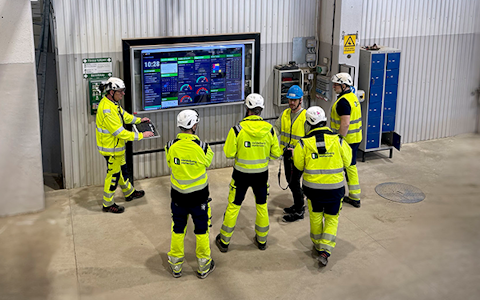
Digital dashboards that help you identify deviations and make the right decisions.
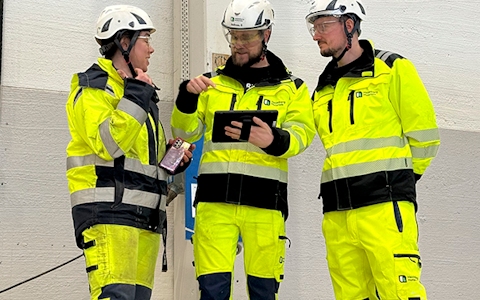
Continuous improvement, Kaizen boards, PDCA and other tools.

Capture your deviations and turn them into improvements

Real-time control for takt-based production. Detect disruptions as they happen, respond faster, and keep production on pace.

Integrate Boards on Fire with ERP, MES, OEE, Power BI and other systems. Automate data flows, reduce administration and act faster.
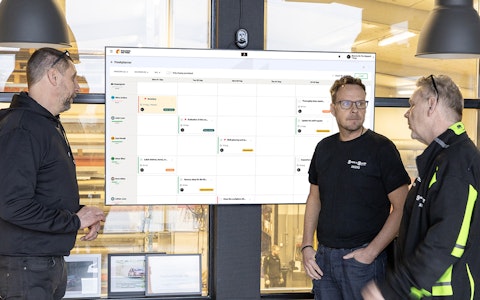
All your team’s tasks, neatly organized in one weekly view.
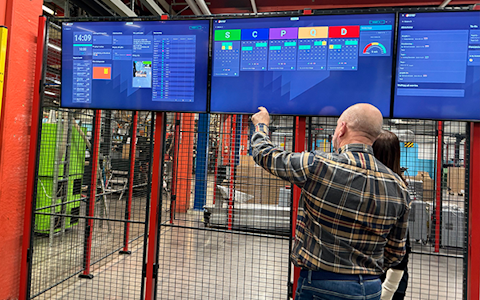
Improve key performance indicators within your specific focus areas with our SQCDP board.

Use the PDCA cycle as a tool to improve both quality and processes
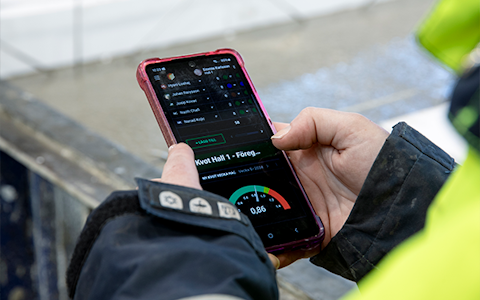
Digital tools for 5S work, recurring audits, and a well-organized workplace.

Basic project management and activity boards.
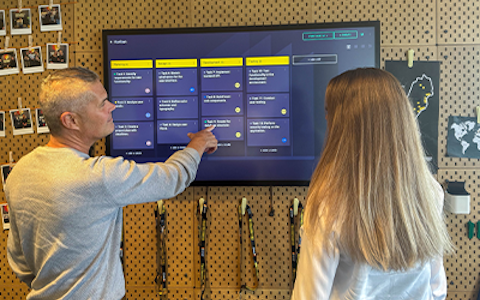
Kanban is a powerful method for visualizing, managing, and optimizing workflows.
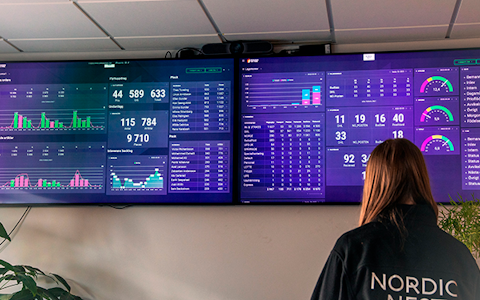
Visualize KPIs and communicate effectively throughout the entire organization.
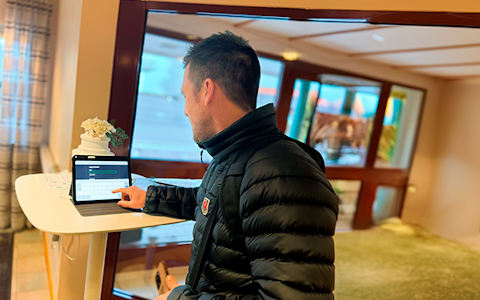
Digital visitor registration provides full control over all planned and executed visits to your business.
How does login work?
Boards on Fire uses Azure AD B2C for authentication. There are four types of login:
Personal login – using email and password
Federated login (SSO) – through your organization's Azure AD
Shared user (login link) – via a login link (magic link), typically used for TV screens and displays
Shared user (username + password) – works the same way as a personal login
Personal login and shared user (username + password)
| Scenario | How long? |
|---|---|
| I use the app daily | Unlimited – you remain signed in as long as you use the app at least once every 24 hours |
| I close the browser (without "Keep me signed in") | You must sign in again the next time |
| I close the browser (with "Keep me signed in") | You remain signed in for up to 90 days of inactivity |
| I do not use the app for more than 24 hours (without "Keep me signed in") | You must sign in again |
| I do not use the app for more than 24 hours (with "Keep me signed in") | You remain signed in for up to 90 days of inactivity |
When signing in, you can select "Keep me signed in". This means:
You can close and reopen your browser without having to sign in again
You can be inactive for up to 90 days and still be signed in when you return
The session is stored as a browser cookie
Without "Keep me signed in":
If you close your browser, you must sign in again
If you leave a browser tab open but do not interact with the app for 24 hours, you must sign in again
If your organization uses Azure AD federation (SSO), you sign in through your organization's own login page. In this case:
You do not see the Boards on Fire login page – you are redirected directly to your organization's Azure AD
Your organization's Azure AD may display "Stay signed in?" – choose Yes to avoid having to sign in again
Session duration is controlled by both Boards on Fire settings and your organization's Azure AD settings
As long as you use the app regularly (at least once every 24 hours), you remain signed in
If you are inactive for more than 24 hours, whether you need to sign in again depends on your organization's session policies
Contact your IT department if you experience unexpected sign-outs when using SSO. They may have configured shorter session durations or Conditional Access policies that require periodic re-authentication.
Shared users sign in using a login link rather than an email address and password. These accounts are commonly used for TV screens, displays, and shared computers.
| Scenario | What happens? |
|---|---|
| I opened the link and the tab is still open | You remain signed in – the session is automatically renewed in the background |
| I close the tab | You are signed out. Open the link again to sign in. |
| The browser is closed or restarted | You are signed out. Open the link again to sign in. |
| The computer restarts (e.g., due to Windows Update) | You are signed out. Open the link again to sign in. |
Cookies and browser settings
| Setting | Effect |
|---|---|
| Clear cookies/browser data | You are signed out |
| Incognito/private browsing | "Keep me signed in" does not work – you must sign in every time |
| Blocking third-party cookies | May affect automatic token renewal (uncommon) |
| Automatically clearing data when closing the browser | The session is lost every time the browser is closed |
Select "Keep me signed in" when signing in if you do not want to log in every day
Avoid clearing cookies for boardsonfireapp.com and b2clogin.com
Do not use incognito/private browsing if you want your session to persist
For displays/TV screens: Ensure the browser is not closed and that the computer is not automatically restarted (for example, due to Windows Update)
This is usually because your browser automatically cleared cookies, or because more than 90 days have passed since you last used the app.
Yes, if you did not select "Keep me signed in" when signing in. Without this option, the session expires after 24 hours of inactivity.
With SSO, session duration is partly controlled by your organization's Azure AD settings. Contact your IT department – they may have configured shorter session durations or Conditional Access policies that require periodic re-authentication.
Yes. Each device and browser maintains its own session.
Free web demo